
Features· Photo & Video Editor

Photo Collages:Two to six photos. One collage.

Select 2 to 6 photos in MaxVault and choose Create Collage. Pick a layout and ratio, adjust spacing, corners and background, and save. The collage is made inside your vault, so the photos never pass through another app.
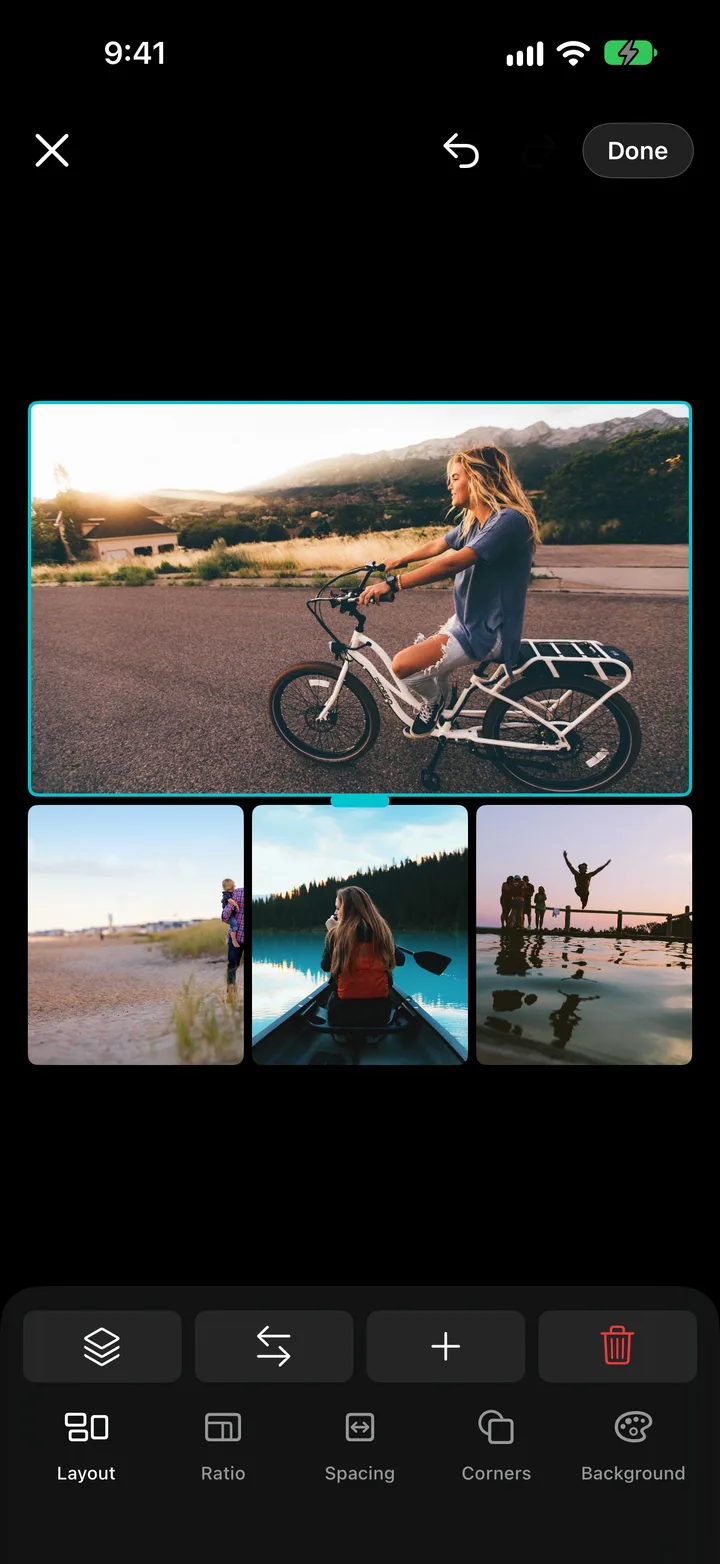
Building a photo collage in MaxVault.

What Photo Collages does

Flexible layouts

Grids, or one large photo with smaller ones on the top, bottom, left or right.

Any ratio

Square, portrait, landscape and more.

Spacing, corners, background

Fine-tune the gaps, round the corners and pick a background color.

Swap in a tap

Tap one photo, then another, to swap their places.

Make a collage

Full guide: How to make a photo collage on iPhone
  1. Select 2 to 6 photos (double-tap with two fingers to start selecting), then choose Create Collage. Or tap + → Collage.
  2. Pick a Layout and Ratio.
  3. Adjust Spacing, Corners and Background.
  4. Tap Save.

Photo Collages: questions.

How many photos can a collage have?

Two to six.

Where is the collage saved?

In the same vault folder, next to your photos.

Can I blur a face before making a collage?

Yes. Blur faces or redact details in the Photo Editor first, then build the collage.

Keep what’s personal private.

Free to download for iPhone and iPad.

Download on theApp Store