
Features· Photo & Video Editor

Video Editor:Trim and crop, out of sight.

MaxVault’s Video Editor trims, rotates, crops and changes the quality of a video inside your vault, and saves any frame as a photo. Save the result as a new video or overwrite the original; nothing goes to your camera roll.
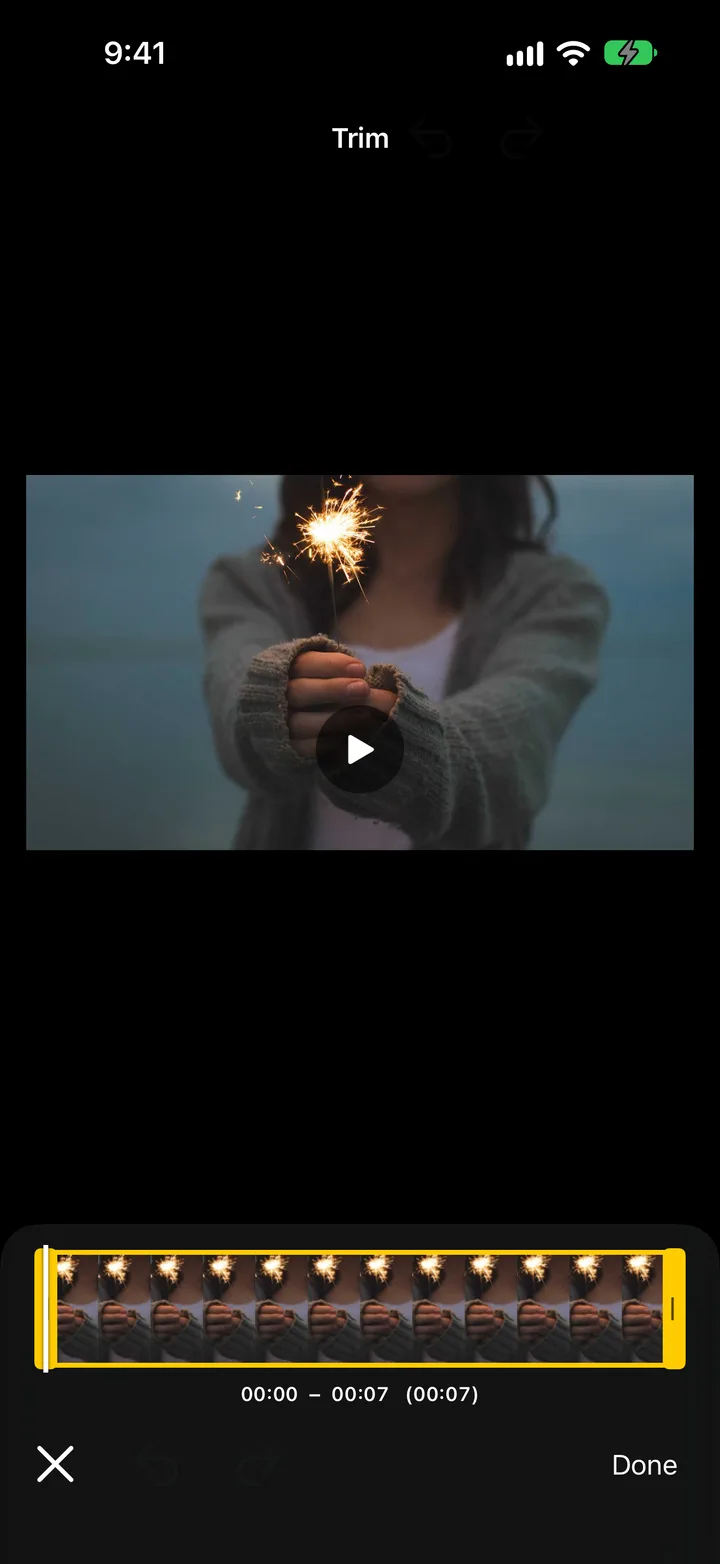
Trimming a video in MaxVault’s Video Editor.

What Video Editor does

Trim

Drag the handles to keep just the part you want.

Rotate and crop

Fix a sideways clip or crop out what shouldn’t be in the frame.

Change quality

Make a large video smaller before you share it.

Save a frame

Save any moment as a photo, next to the video.

Trim a video

Full guide: How to trim a video on iPhone (and save a frame as a photo)
  1. Open the video in MaxVault and tap Edit.
  2. In Trim, drag the handles to the start and end you want.
  3. Use Rotate, Crop or Quality if needed.
  4. Tap Save and choose Save as New Video or Overwrite Original.

Video Editor: questions.

Does editing change the original?

Only if you choose Overwrite Original. Save as New Video keeps the original untouched.

Can I take a still from a video?

Yes. Choose Frame, move to the moment you want, and tap Save Frame.

Do edited videos go to my camera roll?

No. Edited videos are saved in your vault, next to the original.

Keep what’s personal private.

Free to download for iPhone and iPad.

Download on theApp Store