
Features

Security:Catch intruders trying to get in.

Every vault’s passcode keeps people out, and opens only that vault. MaxVault also tells you who tried, disguises itself in an instant, and supports passcode recovery through your MaxVault Account.
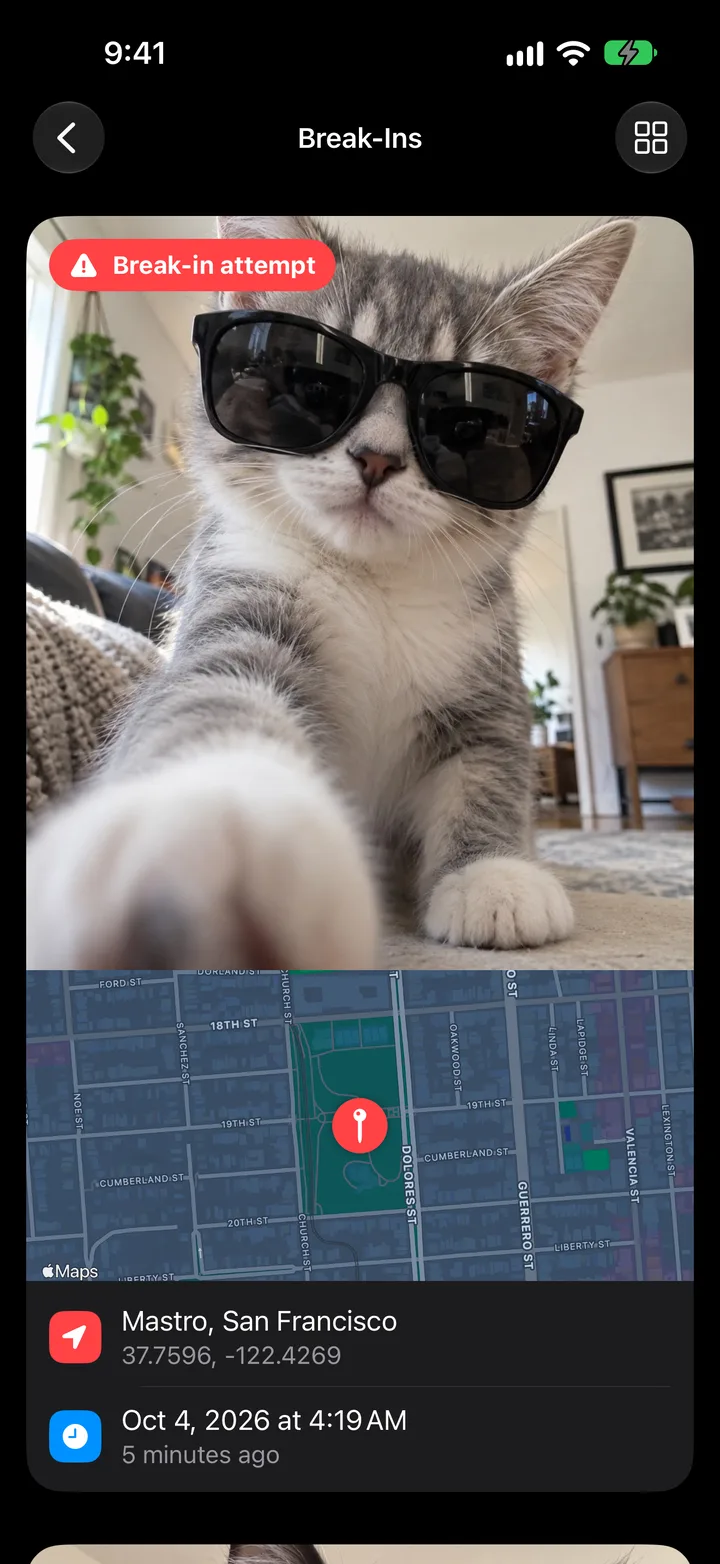
MaxVault Catch Intruder feature demonstration.

What Security does

Break-in reports

After a wrong passcode, MaxVault can discreetly take a photo and save the attempt’s time and location.

Panic Action

Flip your phone face down or swipe down with three fingers to instantly open another app or switch to a decoy vault.

Stays on your device

MaxVault never uploads your vault to a Rambax server. Files leave only when you share, export or transfer them.

Passcode recovery

If you set up a MaxVault Account for recovery, tap Forgotten Passcode? to request a recovery email.

Turn on the essentials

Full guide: How to see who tried to get into your private photos
  1. Set a passcode and Face ID in Settings → Vaults, then tap your vault.
  2. Turn on Capture Break-ins in Settings → Security → Break-ins.
  3. Choose a Panic Action in Settings → Security.
  4. Give your most private folders a Folder Password in Folder Settings.

Security: questions.

Does MaxVault upload my vault?

No. MaxVault never uploads your vault to a Rambax server. Your device’s own iCloud or computer backup includes MaxVault, so keep that backup protected too.

What if someone tries to guess my passcode?

With Capture Break-ins on, MaxVault takes a photo with the front camera after the number of wrong attempts you choose, and saves the time and, if allowed, the location. Passcode Delay makes each further attempt wait longer.

Keep what’s personal private.

Free to download for iPhone and iPad.

Download on theApp Store